 AnimayaStart your story
How to export your Character.AI chats
Character.AI is being sold, and its data export can take weeks. Ask for it now, and save the characters you care about as cards so they can go anywhere.
In short
To export your Character.AI chats, ask Character.AI for your data in your account settings; it arrives by email as a ZIP, in about three to four weeks. To keep a character without waiting, save it as a card now with a browser extension such as CAI Tools. To read the export, open it in the Character.AI export reader on this site: every chat readable, every character a card, in your browser, with nothing uploaded. Animaya is an AI roleplay app made for whole stories, with every scene drawn as it happens, and it is where those characters get a face.
1. Ask for your data
Character.AI exports everything on your account at once: your chats and your characters. Ask for it in your account settings, on the website or in the app; Character.AI's Help Center article "How do I download my data?" has the current steps. The download arrives by email, and Character.AI says it can take three to four weeks, so ask now. The link in the email works for 7 days, so save the file somewhere safe as soon as it comes. The ZIP is locked with your account's email address; the export reader asks for it and opens it in your browser. When it does, open it with the Character.AI export reader: every chat readable, every character a card, in your browser. It makes your Character.AI Wrapped too.
2. Keep a chat you cannot wait for
The export is the whole account, weeks from now. For one conversation you want today, open it, scroll up until the oldest messages have loaded, and copy it into a document.
3. Save your characters as cards
A character card is a PNG or JSON file with the character inside it: name, description, greeting, scenario. Character.AI does not make cards itself; a browser extension such as CAI Tools can save a character as one, and can save chats in formats other apps read. Check a saved chat before you rely on it: these tools note that some formats can swap you and the character.
4. Bring them here, with your chats
When the export arrives, open it in the export reader and press Continue with them in Animaya, or on Animaya open My characters, press Import and choose the same ZIP. Pick who comes over: each character arrives with their chats, in order and with their dates, and each chat opens on its last reply, so you carry on where you left off. A card saved with CAI Tools comes in the same way, today. More about importing.
The export takes weeks. They’re ready now.
While yours is on its way, 102 stories are open here. These three stopped where you come in.
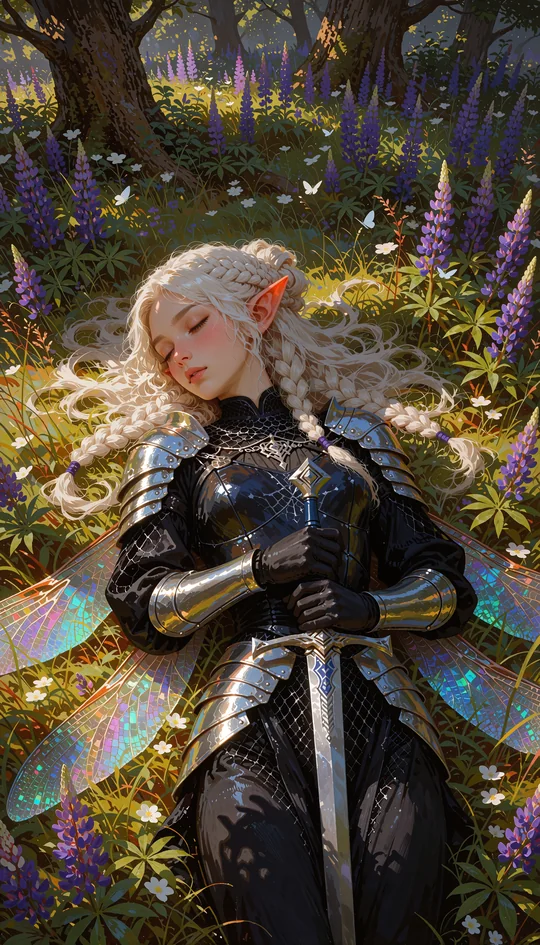 SylwenShe slept a hundred years. You woke her.
“You woke me. By the oath I swore at this gate, the one who wakes me is the one I follow.”
 KaelThe last dragon rider. He came back for you.
“You are the one. Veyra chose you. I have flown across the sea of clouds to find you.”
 SagaDay 1,000Day 1,000. The last mall standing. You were bitten, and you did not turn.
“See? I told you the tomatoes are still alive. We're not dead either.”
Your first scene is on the house. 250 credits when you join with Google: about ten messages and a picture of the moment.
All 102 storiesUpdated 2026-10-28. Character.AI is a name of its owners; Animaya is not connected with them, and its menus may change.
What is in a Character.AI export?
A ZIP of JSON files. There is no index, and the file names tell you nothing, which is why the reader finds characters and chats by what is inside them rather than where they sit. Inside you will find:
- Your chats, as lists of messages. Older chats say who spoke and what; newer ones are turns, with the swipe you chose and the ones you did not.
- The characters you made: the name, the short line under it, the description, the greeting, the definition and the tags.
- Characters other people made: their name and your chats with them, but not their definition, which Character.AI keeps private to its author.
- Links to pictures, not the pictures themselves.
None of it is pleasant to read raw. That is what the reader is for.
How to read the export
- Open the Character.AI export reader.
- Drop in the ZIP from the email, or the JSON files out of it, or chats and characters saved with CAI Tools. All of them open.
- Read. Every chat is there, oldest line first, with the swipes you did not choose left out. Every character you made is there with their greeting; the ones made by others are rebuilt from your chats.
- Press Save every chat for a text file of each, and Save every card for one ZIP with every character in it as a card.
- Leave Keep their voice ticked and a few of their own replies from your chats go into each card, so they still sound like themselves in any app. Untick it to leave your chats out of the cards entirely.
- Scroll down for your Character.AI Wrapped: your top characters by how much you talked, your longest story and every word you wrote, on a picture to share. Numbers and names only, never a word of a chat.
Nothing leaves your browser: not the ZIP, not a chat, not a name. The reading, the cards and the picture are all made in the tab in front of you.
Save a character as a card without waiting
A character card is one file, PNG or JSON, with the character inside it: name, description, greeting, scenario, example lines. It is how characters travel between apps. Character.AI does not make cards itself, so for a character you want today, use a browser extension such as CAI Tools: it saves a character as a card, and saves a chat in formats other apps read, as simple JSON, as Tavern .jsonl, or as an oobabooga chat.
Check a saved chat before you rely on it: these tools note that some formats can swap you and the character. To see exactly what a card holds, and to fix anything before you import it, open it in the character card maker, which also runs in your browser. The cards the reader saves are V2 cards, which SillyTavern, Chub, RisuAI and Animaya all open.
A plan that beats the clock
| When | Do |
|---|---|
| Today | Ask for the export. Save your top characters as cards. Copy the one chat you cannot wait for, scrolled to its start. |
| This week | Import the cards into Animaya and draw each one's portrait. Tell them where you left off. |
| When the email comes (three to four weeks) | Save the ZIP somewhere safe at once; the link works for 7 days. It is locked with your account's email: open it in the reader with that address, then bring your characters and chats to Animaya in one step. |
| Before the sale closes (late November or early December 2026, as reported) | Everything you made is in your hands, in formats any app reads. |
Problems people hit, and what to do
- The email has not come. Character.AI says three to four weeks. Check the junk folder, and that the email on your account is one you still read. Its Help Center article "How do I download my data?" has the current steps.
- A long chat is missing its oldest messages. Players report this. Opening each chat you care about and scrolling it to its start before you ask may help. For the one chat you cannot lose, copy it by hand today.
- The ZIP asks for a password. The reader cannot open a locked ZIP. Open it with your computer's own tools, then drop the JSON files from inside it into the reader.
- A character has no description. Someone else made them, and Character.AI keeps that definition private. The reader rebuilds them from your chats, with their name, how they opened and their own lines, and marks the card "from your chats".
- There are no pictures. The export holds links, not pictures. In Animaya each character gets a portrait drawn from who they are.
- A saved chat has you and the character swapped. Some CAI Tools formats can do this. Open it and check before you rely on it; the reader shows each chat as you read it.
- The reader does not open your file. Under the drop box, "What the file holds" lists the file's field names and counts, never a word of your chats. Copy it and send it to [email protected], and the reader learns that shape.
Then give them a face
In Animaya, open My characters, press Import and choose the ZIP the reader saved: every character comes in at once, with their greeting, their definition and a few of their own lines. Each one gets a portrait drawn from who they are, and from then on every scene is drawn with them in it, in the look you choose, with the same face from the first scene to the last.
Then give them company. Casts put several characters in one scene, each under their own name and face, answering you and each other; sagas are whole worlds with places to go. There are 72 characters, 16 casts and 14 sagas on the shelf beside yours. Say where you left off, and they take it from there; from then on, the story here remembers.



One character, three of the dozens of looks: anime, oil paint, photographic. Their face stays theirs in every one.
Then watch them move. Any moment of a story can become a short film with voices and sound, carried on from its last second, on the Max and Ultra passes.
Where everything ends up
| From Character.AI | Where it goes |
|---|---|
| Your chats | Text files you keep, saved by the reader; a chat you copied by hand, in your document |
| Your characters | V2 cards, from the reader or from CAI Tools, which Animaya, SillyTavern, Chub and RisuAI open |
| Characters others made | Cards rebuilt from your chats by the reader |
| Your Wrapped | A picture to share, made in your browser |
| Pictures | Not in the export; in Animaya, each character gets a new face drawn from who they are |
Questions
How long does the Character.AI data export take?
Character.AI says it can take three to four weeks to arrive by email.
Does the export include my characters?
It covers everything on your account. To use a character in another app, save it as a card with a browser extension such as CAI Tools.
How do I open the export?
With the Character.AI export reader on this site: it opens the ZIP in your browser and shows every chat. One step then takes your characters to Animaya with their chats, or saves each one as a card for other apps.
Can I carry on my Character.AI chats somewhere else?
On Animaya, yes: bring the export over and each chat comes with its character, opening on the last reply. Answer it and the story goes on. A very long chat comes with its latest 1,500 messages; your export keeps the rest.
How do I download my Character.AI data?
Ask for it in your Character.AI account settings, on the website or in the app; Character.AI's Help Center article "How do I download my data?" has the current steps. It arrives by email as a ZIP, and Character.AI says it can take three to four weeks.
How do I save my Character.AI chats before the sale closes?
Ask for the data export today; it takes three to four weeks. For a chat you cannot wait for, open it, scroll to its start and copy it into a document. When the export comes, the Character.AI export reader saves every chat as text, in your browser.
Can I export Character.AI chats to SillyTavern?
Yes. A browser extension such as CAI Tools saves a chat as a Tavern .jsonl file and a character as a card, and the export reader saves every character as a V2 card. SillyTavern opens both.
Can I export a Character.AI character as a PNG card?
Character.AI does not make cards itself. CAI Tools saves a character as a PNG or JSON card now, and the export reader turns every character in your export into a card.
Is the Character.AI export reader safe?
It runs in your browser and uploads nothing: the ZIP, the chats and the cards never leave the tab. The only thing you can send is a list of field names and counts, if the file does not open and you choose to.
What if my export is missing chats?
Players report that long chats can come back without their oldest messages. Opening each chat you care about and scrolling it to its start before you ask may help; copy the chats you cannot lose by hand.
Can I continue my Character.AI chats in Animaya?
Yes. Bring your Character.AI export over and each chat comes with its character, in order and with its dates, opening on the last reply: answer it and the story goes on. A very long chat comes with its latest 1,500 messages; your export keeps the rest.